
 Edictum
Notification Channels
Get notified when agents request approval. Four channel types, with Telegram as the only interactive channel today.
Right page if: you need to choose between notification channels, configure routing filters, or understand which channel supports interactive approve/block buttons. Wrong page if: you need setup steps for a specific channel -- see https://docs.edictum.ai/docs/control-plane/notifications/telegram, https://docs.edictum.ai/docs/control-plane/notifications/slack, https://docs.edictum.ai/docs/control-plane/notifications/discord, or https://docs.edictum.ai/docs/control-plane/notifications/webhook. Gotcha: routing filters use AND logic across dimensions but OR logic within a dimension. An empty filter means "receive everything" for that dimension, not "receive nothing."
Get notified when agents request approval. Four channel types, with Telegram as the only interactive approve/block channel today.
Channel Types
| Channel | Interactive | Notes |
|---|---|---|
| Telegram | Yes | Bot token + chat_id. Inline keyboard buttons. |
| Slack | No | Incoming webhook URL. One-way notification with an app link. |
| Discord | No | Bot token + channel_id. One-way notification with an app link. |
| Webhook | No | Generic HTTPS POST. One-way notification payload. |
Interactive currently means Telegram only. Other channels send a notification with a link back to the app where you can decide.
Adding a Channel
App > Settings > Notifications > Add Channel.
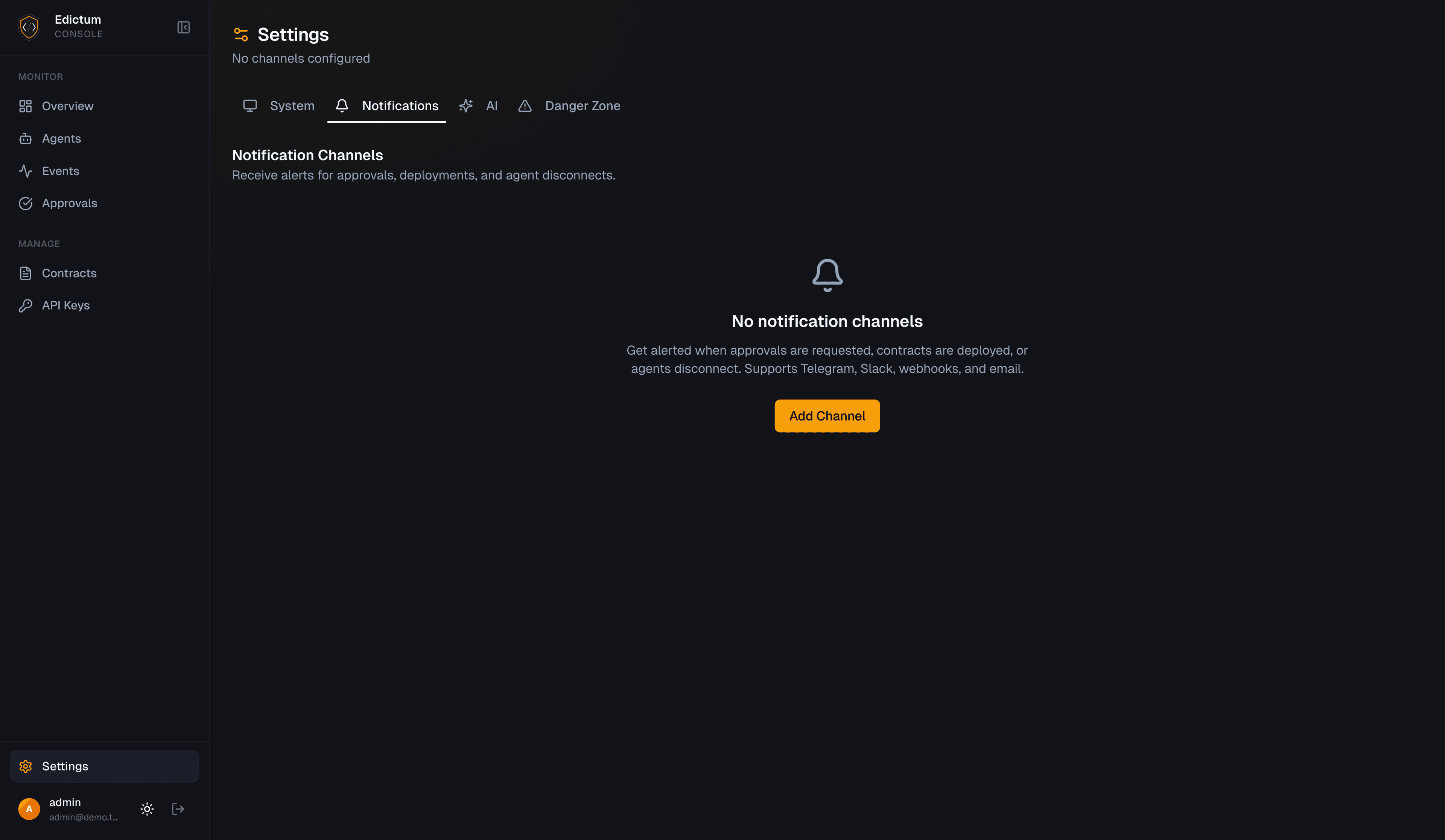
Select the channel type, fill in the configuration fields, and click Test to verify.
Routing Filters
Each channel can have routing filters that control which approval requests it receives:
| Filter | Format | Example |
|---|---|---|
environments | List of exact environment names | ["production", "staging"] |
agent_patterns | Glob patterns matched against agent_id | ["prod-*", "ops-agent"] |
ruleset_names | Glob patterns matched against the ruleset name | ["block-*", "require-approval-*"] |
How Filters Are Evaluated
Filters are evaluated at notification send time, not when the channel is created. This means you can update filters on a channel and the new filters apply immediately to future approval requests.
AND logic across dimensions. All non-empty filter dimensions must match. If you set both environments: ["production"] and agent_patterns: ["prod-*"], the channel only receives approvals from agents matching prod-* in the production environment.
OR logic within a dimension. Each filter field is a list. A match against any item in the list satisfies that dimension. Setting environments: ["production", "staging"] matches approvals from either environment.
Empty filter = receive everything for that dimension. A channel with no filters receives all approval requests. A channel with only environments set receives all agents and all rulesets in those environments.
Pattern Syntax
agent_patterns and ruleset_names use Python's fnmatch module for pattern matching. The patterns are case-sensitive (fnmatchcase).
| Pattern | Matches | Does not match |
|---|---|---|
prod-* | prod-api, prod-billing-v2 | staging-api, PROD-api |
*-deploy | ci-deploy, prod-deploy | deploy, deploy-v2 |
agent-? | agent-1, agent-a | agent-12, agent- |
[!t]* | agent-1, prod-api | test-agent |
require-*-approval | require-deploy-approval | require-approval |
Supported wildcards:
| Wildcard | Meaning |
|---|---|
* | Matches everything |
? | Matches any single character |
[seq] | Matches any character in seq |
[!seq] | Matches any character not in seq |
Examples
| Goal | Filters |
|---|---|
| Production alerts only | environments: ["production"] |
| Prod and staging (OR) | environments: ["production", "staging"] |
| One team's agents | agent_patterns: ["platform-*"] |
| Specific rule alerts | ruleset_names: ["require-human-approval"] |
| Deploy rulesets only | ruleset_names: ["*-deploy", "*-deploy-*"] |
| Everything | Leave all filters empty |
Routing Scenarios
Slack for production, Discord for staging:
Create two channels with environment filters:
| Channel | Type | environments |
|---|---|---|
prod-alerts | Slack | ["production"] |
staging-alerts | Discord | ["staging"] |
Both channels can have empty agent_patterns and ruleset_names to receive all approvals in their respective environments.
Telegram for one team's agents, webhook for everything else:
| Channel | Type | agent_patterns |
|---|---|---|
ml-team-telegram | Telegram | ["ml-*", "data-*"] |
catch-all-webhook | Webhook | (empty -- receives everything) |
The Telegram channel receives approvals from ml-* and data-* agents. The webhook receives all approvals, including those same agents. Filters do not create exclusive routing -- a single approval can match multiple channels and be sent to all of them.
Production deploys by a specific team (AND logic):
| Channel | Type | environments | agent_patterns | ruleset_names |
|---|---|---|---|---|
infra-prod-deploys | Slack | ["production"] | ["infra-*"] | ["*-deploy"] |
All three dimensions must match: the environment is production, the agent ID starts with infra-, and the ruleset name ends with -deploy.
Security
Secrets Encrypted at Rest
Channel configuration secrets are encrypted at rest using NaCl SecretBox. In API responses, sensitive values are masked.
HTTPS Requirement
Telegram requires EDICTUM_BASE_URL to be set to a public HTTPS URL. The hosted API must be reachable from the internet for button callbacks to work.
Sending notifications works without HTTPS. Receiving button clicks does not.
Test Button
Every channel has a test button:
POST /v1/notifications/channels/{id}/testOr click Test in the app. A test message is sent to verify the configuration is correct.
Channel Lifecycle
- Add a channel in Settings > Notifications
- Test to verify configuration
- Enable/disable with the toggle -- disabled channels don't send notifications
- Edit to update configuration or filters
- Delete to remove permanently
Next Steps
Last updated on