
 Edictum
Connecting Agents
Connect your Python agents to Edictum Console for live contract updates, audit event streaming, and human-in-the-loop approvals.
Right page if: you need to connect a Python agent to Edictum Console using `Edictum.from_server()` and the `edictum[server]` SDK. Wrong page if: you want to use edictum without a server (see https://docs.edictum.ai/docs/quickstart) or route bundles to agents with rules (see https://docs.edictum.ai/docs/console/agent-assignment). Gotcha: the `env` parameter must match the API key's environment scope -- `edk_production_...` requires `env="production"` or the connection fails.
Connect your Python agents to Edictum Console for live contract updates, audit event streaming, and human-in-the-loop approvals.
Install the SDK
pip install edictum[server]Requires Python 3.11+. The [server] extra adds the SDK classes that communicate with the console.
Connect with from_server()
from edictum import Edictum

guard = await Edictum.from_server(
    url="http://localhost:8000",             # Console URL
    api_key="edk_production_CZxKQvN3mHz...", # From Dashboard > API Keys
    agent_id="my-agent",                     # Unique identifier for this agent
    env="production",                        # Optional; defaults to "production"
    bundle_name="my-contracts",              # Bundle to subscribe to (optional)
    tags={"team": "platform", "tier": "1"},  # Tags for assignment rules (optional)
    auto_watch=True,                         # Optional; keep SSE watcher enabled
)

# Use guard.run() exactly like local edictum
result = await guard.run("read_file", {"path": "data.csv"}, read_file)
Parameters
| Parameter | Required | Description |
|---|---|---|
url | Yes | Console base URL |
api_key | Yes | API key from the dashboard (e.g. edk_production_...) |
agent_id | Yes | Unique identifier for this agent instance |
env | No | Environment name (should match the API key scope). Defaults to "production". |
bundle_name | No | Specific bundle to subscribe to. If omitted, resolved via assignment rules. |
tags | No | Dict of key-value tags for assignment rule matching |
auto_watch | No | Defaults to true. Must remain true when bundle_name is omitted so the agent can receive its assignment and updates over SSE. |
allow_insecure | No | Defaults to false. Set to true to allow plaintext HTTP connections to non-loopback hosts. Logs a warning when enabled. |
HTTPS enforcement
from_server() requires HTTPS for non-loopback hosts by default. Connecting to a remote host over http:// raises ValueError unless allow_insecure=True is passed.
Loopback addresses are always exempt: http://localhost, http://127.0.0.1, and http://[::1] connect without error regardless of allow_insecure.
# Production remote host — use HTTPS
guard = await Edictum.from_server(
    url="https://console.example.com",
    api_key="edk_production_CZxKQvN3mHz...",
    agent_id="my-agent",
)

# Local dev — loopback is always exempt
guard = await Edictum.from_server(
    url="http://localhost:8000",
    api_key="edk_production_CZxKQvN3mHz...",
    agent_id="my-agent",
)

# Internal HTTP host — opt in explicitly (logs a warning)
guard = await Edictum.from_server(
    url="http://internal-console:8000",
    api_key="edk_production_CZxKQvN3mHz...",
    agent_id="my-agent",
    allow_insecure=True,
)
What Happens on Connect
-
Agent registers -- the SDK sends a registration request. The console creates or updates the agent's record in
agent_registrationswith its metadata, tags, and last-seen timestamp. -
Bundle fetch -- the SDK calls
GET /api/v1/bundles/{name}/current?env={env}to fetch the currently deployed contract bundle. The response includes the YAML (base64-encoded) and Ed25519 signature. -
SSE subscription -- the SDK opens a persistent connection to
GET /api/v1/stream. It receivescontract_updateevents when contracts are redeployed, andassignment_changedevents when the agent's bundle assignment changes. -
Audit sink starts -- the
ServerAuditSinkbegins batching tool call events and posting them toPOST /api/v1/events. -
Approval backend ready -- the
ServerApprovalBackendis configured to create and poll approvals via the console API.
SDK Classes
The from_server() call configures these components internally:
| Class | Purpose | Key Settings |
|---|---|---|
EdictumServerClient | HTTP client for all API calls | timeout=30, max_retries=3 |
ServerAuditSink | Batched event ingestion | batch_size=50, flush_interval=5.0s, max_buffer_size=10000 |
ServerApprovalBackend | HITL approval create + poll | poll_interval=2.0s |
ServerBackend | Server-side session state | Key-value store, atomic increment |
ServerContractSource | SSE contract subscription | reconnect_delay=1.0s, max_reconnect_delay=60.0s |
Graceful Fallback
If the console is unreachable on startup, fall back to local contracts:
from edictum import Edictum

try:
    guard = await Edictum.from_server(
        url="http://localhost:8000",
        api_key="edk_production_CZxKQvN3mHz...",
        agent_id="my-agent",
        env="production",
    )
except Exception:
    # Server down -- use local contracts
    guard = Edictum.from_yaml("contracts.yaml")
Important: Edictum fails closed. If the server becomes unreachable after connection, errors propagate and tool calls are denied. The agent never silently passes when the server is down.
Multiple Agents
Each agent needs a unique agent_id. The API key can be shared across agents in the same environment:
# Agent 1
guard_1 = await Edictum.from_server(
    url="http://localhost:8000",
    api_key="edk_production_CZxKQvN3mHz...",
    agent_id="research-agent",
    env="production",
)

# Agent 2
guard_2 = await Edictum.from_server(
    url="http://localhost:8000",
    api_key="edk_production_CZxKQvN3mHz...",
    agent_id="ops-agent",
    env="production",
)
Both agents appear separately in the dashboard's Agents page.
Tags for Assignment Rules
Tags are key-value pairs attached to the agent registration. Assignment rules can match on tags to route specific bundles:
guard = await Edictum.from_server(
    url="http://localhost:8000",
    api_key="edk_production_CZxKQvN3mHz...",
    agent_id="prod-platform-agent",
    env="production",
    tags={"team": "platform", "tier": "1", "region": "us-east"},
)
See Agent Assignment for how to create rules that match on tags.
Framework Adapters
After connecting, use the guard with any supported framework adapter. The adapter API is identical to local edictum:
# LangChain
from edictum.adapters.langchain import LangChainAdapter
adapter = LangChainAdapter(guard)
tool_node = ToolNode(tools=tools, wrap_tool_call=adapter.as_tool_wrapper())

# CrewAI
from edictum.adapters.crewai import CrewAIAdapter
adapter = CrewAIAdapter(guard)
adapter.register()

# OpenAI Agents SDK
from edictum.adapters.openai_agents import OpenAIAgentsAdapter
adapter = OpenAIAgentsAdapter(guard)
input_gr, output_gr = adapter.as_guardrails()
All eight adapters work with server-connected guards. See the edictum adapter docs for details.
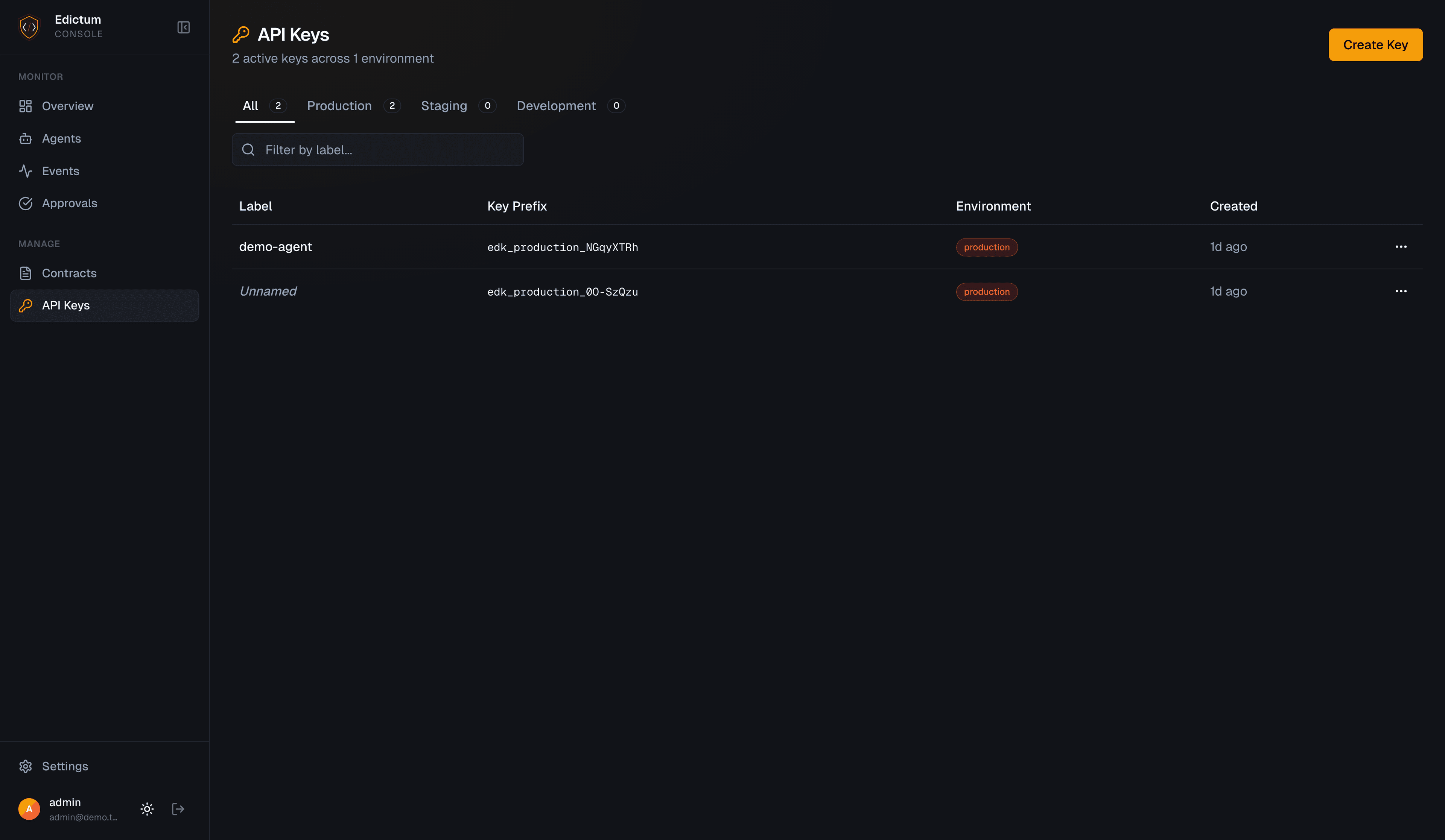
API Key Management
Troubleshooting
| Problem | Fix |
|---|---|
401 Unauthorized on connect | API key is invalid or revoked. Create a new one in Dashboard > API Keys. |
| Agent shows "Last Seen: never" | Check that events are being sent -- the SDK needs guard.run() calls to generate events. |
| Bundle not found on connect | Deploy a bundle first in Dashboard > Contracts > Bundles. Or set bundle_name to match an existing bundle. |
| SSE disconnects frequently | Check network stability. The SDK reconnects automatically with exponential backoff (1s to 60s). |
env mismatch error | The env parameter must match the API key's environment scope (e.g. edk_production_... requires env="production"). |
ValueError: HTTPS required | Console URL uses http:// with a non-loopback host. Use https:// or pass allow_insecure=True (logs a warning). |
Next Steps
- Agent Assignment -- route bundles to agents with rules and patterns
- Fleet Monitoring -- monitor connected agents and coverage
Last updated on
Contract Management
The three-level contract model for Edictum Console -- Contract (authoring unit), Composition (assembly recipe), and Bundle (deployed artifact).
Human-in-the-Loop Approvals
When a contract says effect approve, the tool call pauses until a human approves or denies it. The console manages the full approval lifecycle.