
 Edictum
Contract Management
The three-level contract model for Edictum Console -- Contract (authoring unit), Composition (assembly recipe), and Bundle (deployed artifact).
Right page if: you need to understand the console's three-level contract model -- Contract (authoring unit), Composition (assembly recipe), Bundle (deployed artifact). Wrong page if: you want the YAML syntax for writing contracts (see https://docs.edictum.ai/docs/contracts/yaml-reference) or how bundles reach agents (see https://docs.edictum.ai/docs/console/concepts/hot-reload). Gotcha: compositions reference the latest version of each contract at assembly time -- pinning to a specific contract version is not supported.
Edictum Console uses a three-level model for contract management: Contract (authoring unit), Composition (assembly recipe), and Bundle (deployed artifact). This separation lets you write contracts once, reuse them across environments, and change enforcement modes without editing YAML.
The Three Levels
Contract (Authoring Unit)
A contract is an individual governance rule stored in the console's contract library. It is the smallest unit of governance -- one rule, one purpose.
| Field | Description |
|---|---|
contract_id | User-provided string slug (format: [a-z0-9][a-z0-9_-]*) |
type | pre, post, session, or sandbox |
name | Human-readable identifier |
description | What this contract does and why |
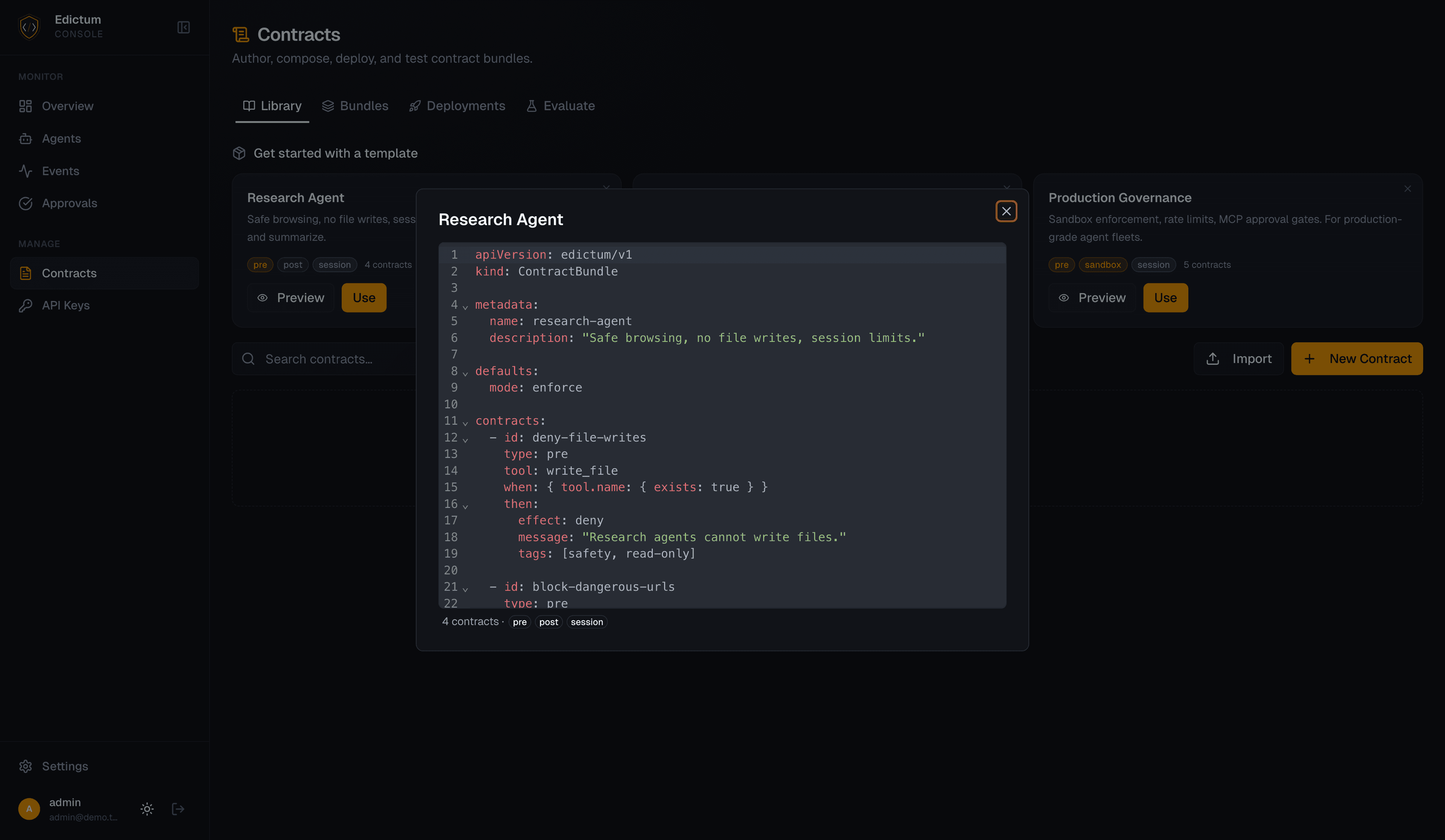
definition | The contract body as JSON (maps to YAML contract fields: tool, when, then, within, etc.) |
tags | Free-form labels for organization (["security", "pii", "production"]) |
version | Auto-incremented on each update |
Contracts are versioned. Every update creates a new version. Old versions are preserved -- you can always see what a contract looked like at any point in time.
YAML auto-fill. Pasting YAML into the contract editor automatically populates the id, name, type, description, and tags fields from the contract definition. Auto-fill only runs on the first paste — it will not overwrite fields you have already filled in.
Contract types map directly to the core library:
| Type | When it runs | Can deny? | Example |
|---|---|---|---|
pre | Before tool executes | Yes | Block reads of .env files |
post | After tool executes | Redact/suppress for READ tools | Scan output for PII patterns |
session | Before tool executes (stateful) | Yes | Limit to 10 file writes per session |
sandbox | Before tool executes | Yes | Restrict file access to /workspace |
Composition (Assembly Recipe)
A composition is a named, ordered recipe that assembles contracts into a deployable bundle. It defines which contracts to include, in what order, and with what enforcement modes.
| Field | Description |
|---|---|
name | Composition name (becomes the bundle name on deploy) |
description | Purpose of this composition |
defaults_mode | Default enforcement mode: enforce or observe |
items | Ordered list of contracts with per-item settings |
Each item in a composition references a contract from the library and can override its mode:
| Item Field | Description |
|---|---|
contract_id | Reference to a library contract |
position | Order in the composition (contracts evaluate in order) |
mode_override | enforce, observe, or inherit |
When adding contracts to a composition, the contract picker includes a Create New Contract inline action. Selecting it opens the contract editor without leaving the picker flow — the new contract is immediately available to add.
Mode resolution follows a clear precedence:
Item mode_override > Contract definition > Composition defaults_modeenforce-- contract failures deny the tool callobserve-- contract failures produce audit events but do not denyinherit-- falls through to the composition'sdefaults_mode
This lets you roll out a new contract in observe mode (test it in observe mode against production traffic), then flip it to enforce when you're confident -- without editing the contract itself.
Composition or direct upload? Use compositions when you want to mix and match contracts, override modes per-contract, and track which contracts are included. Use direct upload when you already have a tested YAML bundle from local development and want to deploy it as-is.
Bundle (Deployed Artifact)
A bundle is the assembled YAML artifact that agents actually enforce. It is the output of either:
- Composing from the library -- the composition recipe assembles contracts into a YAML bundle
- Direct upload -- raw YAML uploaded through the API or dashboard
| Field | Description |
|---|---|
name | Bundle identifier (agents subscribe by name) |
version | Auto-incremented on each upload or composition deploy |
yaml_content | The assembled YAML text |
revision_hash | SHA-256 of the YAML content (drift detection) |
signature | Ed25519 signature (hex) |
public_key | Signing key public component (hex) |
deployed_at | Timestamp of most recent deployment |
deployed_env | Environment the bundle was deployed to |
Every bundle is signed with Ed25519 on deploy. The signature and public key are included in the SSE event so agents can verify authenticity.
Import: YAML to Library
The Import dialog accepts three YAML formats. It automatically wraps single contracts and lists into a bundle before sending to the backend — you do not need to pre-format your YAML as a bundle.
| Format | Description |
|---|---|
| Single contract | A YAML object with an id field — imported as one library contract |
| Contract list | A YAML list of contract objects — each becomes a library contract |
| Full bundle | A ContractBundle with a contracts: key — decomposed into individual contracts |
POST /api/v1/contracts/import
Body: { "yaml_content": "..." }

Single contract, list, or full bundle
    |
    +-> Contract: block-dotenv (type: pre, v1)
    +-> Contract: pii-scan (type: post, v1)
    +-> Contract: rate-limit (type: session, v1)
    +-> Contract: workspace-sandbox (type: sandbox, v1)
    +-> Contract: block-sql-injection (type: pre, v1)
Each contract extracted from the YAML becomes a library contract at version 1. Existing contracts with the same id get a new version instead of a duplicate.
Version Management
Both contracts and bundles are versioned independently:
- Contract versions: each update to a contract definition creates a new version. The old version is preserved. Compositions reference the latest version of each contract at assembly time.
- Bundle versions: each deployment (from composition or direct upload) creates a new bundle version. The diff viewer lets you compare any two versions side by side.
Contract: block-dotenv
  v1: when args.path contains ".env" -> deny
  v2: when args.path contains ".env" or ".secret" -> deny
  v3: when args.path matches ".*\.(env|secret|key)$" -> deny

Bundle: production-standard
  v1: block-dotenv(v1) + pii-scan(v1)
  v2: block-dotenv(v2) + pii-scan(v1)  <- contract updated
  v3: block-dotenv(v2) + pii-scan(v1) + rate-limit(v1)  <- contract added
  v4: block-dotenv(v3) + pii-scan(v1) + rate-limit(v2)  <- two contracts updated
The Dashboard Experience
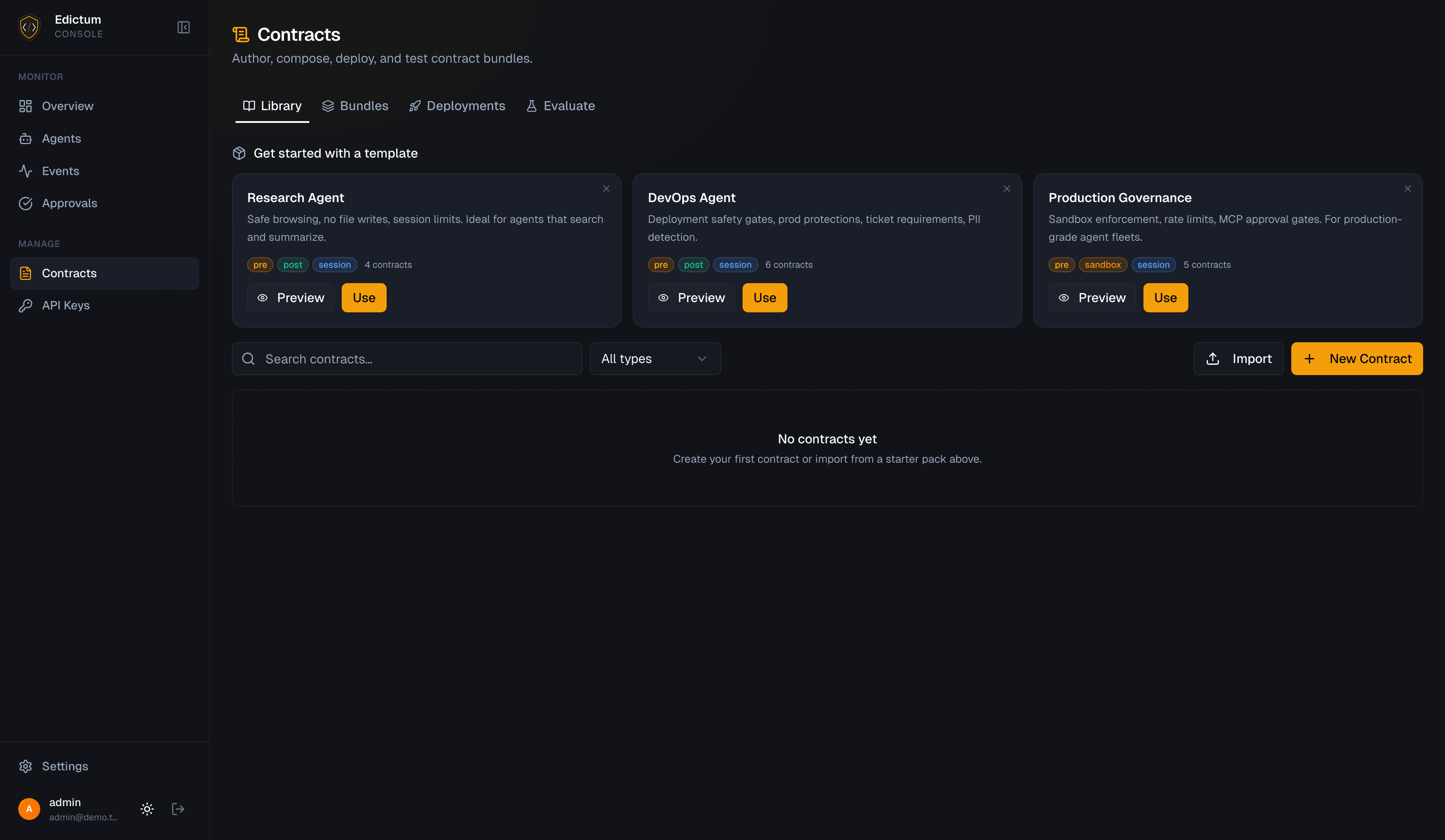
The Contracts page has four tabs:
| Tab | Purpose |
|---|---|
| Library | Browse, create, edit, and search contracts. Filter by type and tag. AI assistant helps write contract definitions. |
| Bundles | Upload raw YAML or assemble from compositions. Deploy to environments. Diff viewer between any two versions. |
| Deployments | History of all deployments: who deployed, when, which bundle version, which environment. |
| Evaluate | Playground: enter a tool name + JSON args, select a bundle, see the verdict and full contract evaluation trace. Replay mode re-evaluates past events against current contracts. |
Drift Detection
When an agent connects via SSE, it sends its policy_version (the SHA-256 revision hash of its current bundle). The console compares this against the latest deployed bundle for that agent's environment:
| Status | Meaning |
|---|---|
current | Agent's hash matches the deployed bundle |
drift | Agent's hash differs -- it is running a stale bundle |
unknown | Agent did not report a contract version |
Drift is visible on the fleet monitoring page. A drifted agent will pick up the latest bundle on its next SSE reconnect.
Next Steps
- Hot-Reload -- how deployed bundles reach running agents via SSE
- How It Works -- the boundary between core library and console
- Security Model -- bundle signing and key rotation
Last updated on